Internet on the go in Belgium: hotspot, 4G, 5G and Wi-Fi
Internet on the go is no longer a luxury for many vanlifers. You use it for navigation, weather apps, messaging, music, banking, finding campsites, working, planning routes, booking tickets, and sometimes just for watching something in the evening.
By Laurens De Leeuw · 28 June 2026
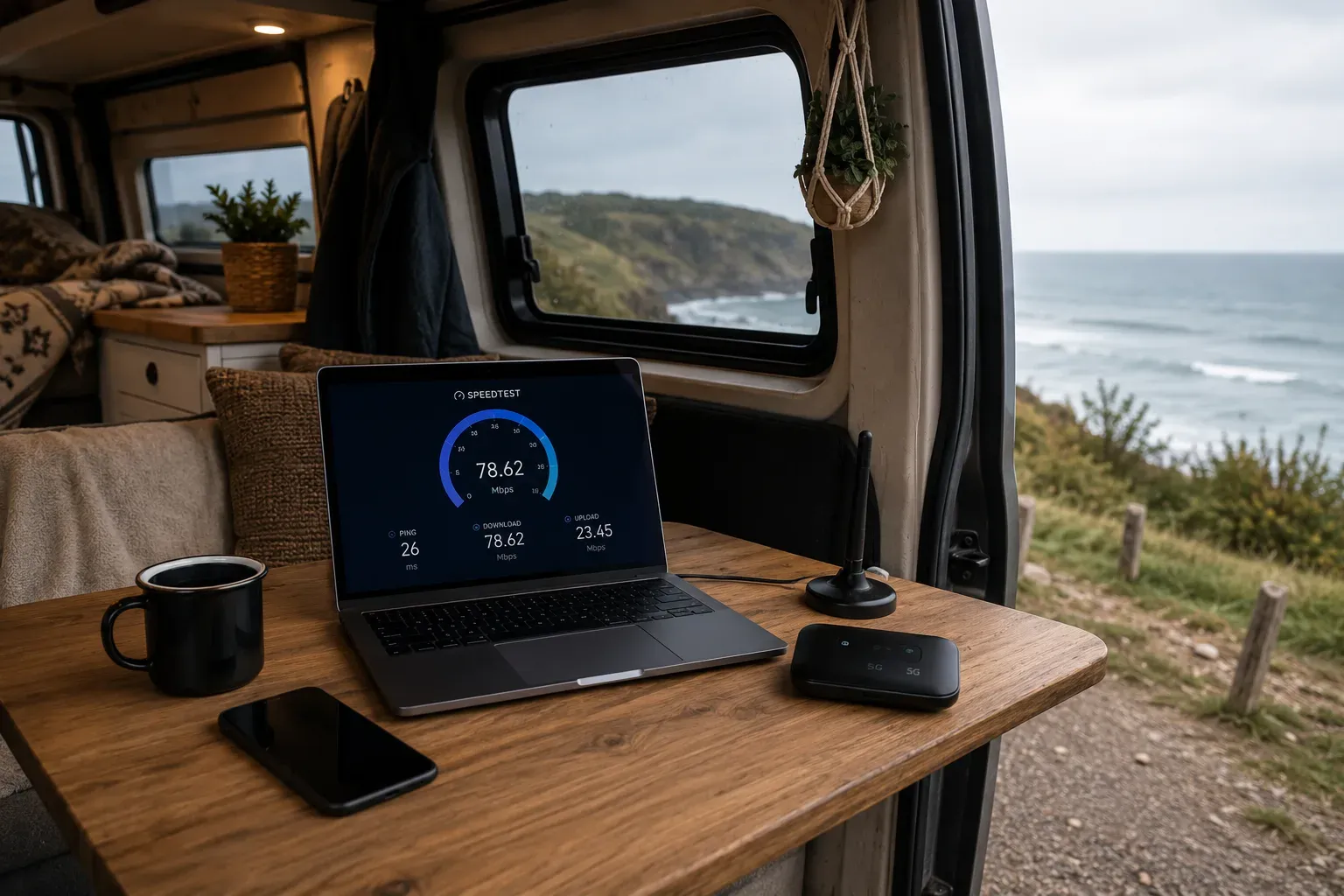
Internet on the go is no longer a luxury for many vanlifers. You use it for navigation, weather apps, messaging, music, banking, finding campsites, working, planning routes, booking tickets, and sometimes just for watching something in the evening.
Especially if you work from your van, internet becomes almost as important as electricity. Without a connection, you might still be able to travel, but not always do what you had planned.
In Belgium, mobile internet is usually quite good. We are a small country, there is a lot of mobile coverage, and in many places, you simply have 4G or 5G. But “usually good” is not the same as “always reliable”. In a forest, valley, parking lot between tall buildings, by a remote pond, or deep in the Ardennes, it can suddenly be disappointing.
That's why the best internet setup is not necessarily the most expensive setup. It's the setup that matches how dependent you are on a connection.
Start with your own internet usage
Before you buy a router, antenna, or extra SIM card, you first need to know what you really need on the go.
Do you mainly use the internet for WhatsApp, weather apps, Google Maps, and some research? Then your phone as a hotspot is often enough.
Do you want to stream every evening, upload photos, video call frequently, or work with cloud files? Then it becomes a different story.
Do you work on the road as a freelancer, web developer, content creator, or someone who needs to attend meetings? Then you don't want to rely on “it'll probably work out”. Then you'd better have a plan B.
First, ask yourself these questions:
- Do I need to be able to work on the go?
- Do I need video meetings?
- How much data do I use per month?
- Do I only travel in Belgium or also abroad?
- Am I often in nature reserves, forests, or valleys?
- Do I want internet throughout the van or just on my laptop?
- Is a connection convenient, important, or truly essential?
That difference is important. For some people, bad internet is just annoying. For others, it means they can't work.
Option 1: your phone as a hotspot
The simplest solution is to use your smartphone as a hotspot. You turn on mobile data, share your connection with your laptop or tablet, and you're done.
For many beginners, this is more than enough.
You don't need to buy anything extra, you don't need a separate router, and you just use your existing subscription. For weekend trips, short journeys, and light internet use, a phone hotspot is often the easiest choice.
The advantages of a phone hotspot
A hotspot is simple. You already have your phone with you, and you don't need to charge or install an extra device.
It's also flexible. You can place your phone by the window, on the dashboard, or even hold it outside to find a better signal. In a metal van, that can sometimes make a real difference.
For short sessions, this works great: quickly check emails, plan a route, find a campsite, upload a document, or connect your laptop.
If you don't have to work daily, I would always start with this. Only when you notice it's not enough does upgrading make sense.
The disadvantages of a phone hotspot
A phone hotspot also has limitations.
Your battery drains faster. Your phone can get warm. If you receive a call or walk away with your phone, your laptop connection might drop. And if there are two of you, everyone depends on the same device.
Placement can also be inconvenient. The best spot for reception might be by the window, but you want to keep your phone next to you. Or you're in bed and your laptop is on the table. That works, but it's not ideal.
For occasional internet, that's not a problem. For daily work, it quickly becomes irritating.
Option 2: a separate 4G or 5G router
A mobile router, also called mifi or 4G/5G router, is a separate device with a SIM card. This router connects to the mobile network and distributes internet via Wi-Fi in your van.
This is more interesting if you travel more often, work with multiple devices, or don't want to constantly use your phone as a hotspot.
There are small portable routers with batteries, but also sturdier routers that you can permanently install in your van on 12 volts or via USB C. Some models support external antennas, which can be useful if you often find yourself in places with weaker signals.
When is a router worthwhile?
A router is especially useful if you regularly work on the go or are online with multiple devices.
Think of a laptop, phone, tablet, e-reader, camera, smart speaker, router for home automation, security camera, or a second laptop. Then it's convenient that everything automatically connects to the same network.
A router can also be placed in a fixed good spot in the van, for example, high up, near a window, or connected to a roof antenna. You don't have to constantly place your phone in the best signal spot.
For me as a web developer, a fixed router would become logical as soon as I really need to work on the go. Not because it's cooler, but because I would then be less dependent on my phone and could organize my connection more stably.
4G or 5G: what do you really need?
4G is still sufficient for much vanlife use. Emails, messages, websites, navigation, Spotify, banking, light uploads, and even video calls work fine on a good 4G connection.
5G can be faster, offer lower latency, and perform better in busy places. But 5G is not automatically better everywhere. Your device, subscription, provider, location, network congestion, and coverage all play a role.
In Belgium, 5G is being rolled out further, but the quality varies by location and operator. Therefore, it's not smart to blindly say: “I'll buy 5G and then everything will be solved.”
If you mainly need basic internet, a good 4G setup is often enough. If you upload a lot, do video meetings, send large files, or want to build for the future, 5G can be interesting.
Note: 5G routers are usually more expensive and can consume more power. In a small van, that also counts.
Coverage varies by location and provider
There is no single best provider for all Belgian vanlifers.
One provider works better at the coast, another better in a village, another better at your regular workplace or favorite parking spot. Virtual operators also use the network of a larger operator. If you switch to a cheaper plan, but it uses the same network as your previous provider, you might not solve a coverage problem.
BIPT has a mobile atlas that allows you to view mobile coverage by operator and technology. That's useful, but you need to interpret the map correctly. The map shows expected signal coverage based on operator data, verified with field samples. Actual practice can differ due to landscape, buildings, network congestion, your device, and the exact spot where you are.
So use such a map as a tool, not as an absolute guarantee.
In a van, you notice that extra hard. Parking a few meters further, placing the router by the window, or turning the bus can sometimes do more than changing subscriptions.
A metal van can weaken your signal
A delivery van is largely metal. That's sturdy and safe, but not ideal for radio signals.
If your phone is deep inside the van, between furniture, insulation, and metal panels, your signal might be worse than outside. That's why it often helps to place your phone or router near a window.
An external antenna can be useful if you often work in places with weaker signals. Such an antenna is placed outside or on the roof, while your router is inside. This can improve the signal, but only if done correctly. A bad antenna, bad cable, or incorrect placement can be disappointing.
For beginners, I would start simply: first test with your phone by the window. Then possibly a router. Only if you really notice that reception is the problem would I consider external antennas.
Data: don't underestimate streaming and cloud
Mobile data runs out faster than you think.
A few emails and messages consume little. Navigation is usually also fine. But video, cloud backups, uploading photos, automatic updates, video meetings, and streaming can consume a lot.
Laptops, in particular, are dangerous for your data bundle. Your phone is often economical with data, but your laptop sometimes thinks it's on regular Wi-Fi. Then it starts downloading updates, syncing photos, or fetching cloud files.
Therefore, enable data saving where possible. Pause automatic updates when you're on mobile data. Download maps, music, podcasts, and series in advance via Wi-Fi at home. Turn off cloud sync if you have limited data.
A few practical habits:
- download offline maps before departure
- turn off automatic updates on hotspot
- limit cloud sync on mobile data
- stream at lower quality
- download music and podcasts in advance
- regularly check your data usage
- do not use laptop backups via mobile data
- set video meetings to lower quality if necessary
If you really work on the go, don't choose based on price alone. Look primarily at data limit, speed after consuming your bundle, roaming conditions, and which network is used.
Wi-Fi at campsites and camper spots
Wi-Fi at campsites sounds convenient, but don't rely on it blindly.
Sometimes it works fine. Sometimes it's slow, overloaded, or only good near the reception. During busy times, everyone is online simultaneously: streaming, tablets, children, laptops, uploads, phones. Then even a good connection becomes slow.
So see campsite Wi-Fi more as an extra. Useful for doing updates, uploading photos, or downloading something, but not always reliable enough for work.
Do you really need to do a video meeting? Test it beforehand. Not five minutes before the meeting, but well in advance. Do a speed test, open your work tools, and see if the connection remains stable.
Public Wi-Fi: convenient, but cautious
Free Wi-Fi in cafes, restaurants, stations, libraries, campsites, or holiday parks can be convenient. But public Wi-Fi is not always safe.
Safeonweb recommends preferably using mobile data or a shared 4G/5G connection. If you do use public Wi-Fi, choose an official network, check the correct network name, and preferably use a VPN.
Do not conduct banking, important logins, or sensitive client work over an open network without protection. Also, disable automatic Wi-Fi connections so your phone doesn't just connect to unknown or spoofed networks.
Practically speaking: public Wi-Fi is okay for looking something up, but not ideal as a basis for your digital life.
VPN: especially useful on public Wi-Fi
A VPN creates a secure connection between your device and the internet. This is especially useful when you use public Wi-Fi, for example, at a campsite, cafe, station, or hotel.
For mobile internet via your own provider, a VPN is not always necessary, but it can be useful for privacy or work. Many employers require a VPN anyway to access company files.
Note: a VPN can sometimes slow down your connection. So choose a reliable service and test it before you need it on the go.
For those who work from the van, I would consider a VPN as a basic requirement. Not because you're unsafe anywhere else, but because you often switch between networks and locations.
Working from your van: have a plan B
If internet is important for your income, you shouldn't rely on one solution.
A good work setup might look like this:
- phone with sufficient data
- separate 4G/5G router
- possibly a second SIM card on another network
- power bank or fixed power supply
- offline access to important files
- VPN for work
- headset for meetings
- pre-tested location with decent signal
A second SIM card on another network can make a big difference. Not always necessary, but smart if you are truly dependent on a connection. If provider A works poorly in one place, provider B might be good there.
That doesn't have to be expensive or complicated right away. You can also start with one main subscription and a prepaid or eSIM as an emergency solution.
Test your workplace before you need it
A beautiful spot is not automatically a good workplace.
You can be beautifully parked at a forest edge, but have hardly any upload. Or you're in a boring parking lot next to a village and have perfect 5G. That's sometimes frustrating, but that's how it works.
If you need to work, first test:
- how many bars do you have?
- do websites load smoothly?
- what does a speed test say?
- does the connection remain stable?
- does uploading also work?
- does your VPN work?
- can you video call without stuttering?
Upload, in particular, is often forgotten. Download is important for getting things, but upload is crucial for video meetings, sending files, and cloud work.
Roaming in Europe
If you travel through the EU with your Belgian subscription, “roam like at home” generally applies. You can use your mobile subscription in other EU countries without traditional roaming charges, but there are fair use rules.
For vanlifers, this is important. If you stay abroad for a long time or use a lot of data, your operator may apply restrictions or surcharges according to the rules. Especially with cheap or unlimited subscriptions, the roaming data might be lower than what you get in Belgium.
So always check your roaming conditions before departure. Don't just look at “EU included”, but also at how much data you can actually use while roaming.
Also, pay attention to countries outside the EU or EEA. Switzerland, the United Kingdom, Andorra, Monaco, and other countries may be treated differently depending on your operator and subscription. Don't just assume.
Internet and power go hand in hand
Internet consumes power. Not an extreme amount, but constantly.
A phone hotspot drains your battery. A router that is on all day also uses energy. A laptop, VPN, video meetings, and screen brightness do the rest.
If your internet setup is important, your power setup must follow suit. For a weekend, a power bank is often enough. For working on the go, you want a fixed way to charge your phone, router, and laptop.
Turn off devices when you're not using them. Don't let your router run day and night if it's not necessary. And make sure your charging cables have a fixed place. Nothing is as annoying as having a good connection but an empty laptop.
A simple setup for weekend trips
For short trips, I would keep it simple.
Your phone as a hotspot, sufficient data, power bank, offline maps, and possibly downloading some music or podcasts in advance. You usually don't need more.
Make sure your phone is well charged and bring a cable that works reliably. If the signal is poor, place your phone by the window or on the dashboard.
This is the cheapest and easiest start.
A better setup for regular travel
If you travel often, a separate router becomes more interesting.
A small 4G or 5G router with a separate SIM card ensures your phone remains free and your devices connect automatically. Place the router in a good spot in your van and choose a data bundle that suits your usage.
For many Belgian vanlifers, this is the best middle ground: not overly technical, but more comfortable than always using your phone as a hotspot.
A 4G router can be enough. Choose 5G if you need a lot of speed, want to buy for the future, or often find yourself in places where 5G clearly works better.
A robust setup for working on the go
If you often work from your van, build with more margin.
Consider a good router, sufficient data, a second SIM or eSIM, possibly an external antenna, VPN, fixed power supply, and offline backup of your most important work files.
Plan meetings in places where you know the connection is good. Don't just hope for the best and do an important client call from a remote spot in the Ardennes without testing first.
That sounds less romantic, but it's how you avoid stress.
Security of your own Wi-Fi network
If you use a router in your van, secure it well.
Change the default Wi-Fi password. Also change the router's admin password. Use WPA2 or WPA3 if possible. Only enable guest networks if you need them. Update the firmware occasionally.
Do not use a recognizable network name like “Laurens's bus” or “Vanlife Belgium office” if you want to remain inconspicuous. Choose something boring. The less attention, the better.
Especially if you are in parking lots, campsites, or busy places, you don't want everyone to immediately see that there's a bus with its own network.
My practical advice
For most beginners: start with your phone as a hotspot. Test a few trips and see what you're missing.
For those who travel often: get a separate router with a good data bundle. That makes your setup calmer and more stable.
For those who work on the go: ensure redundancy. That doesn't mean everything has to be double and expensive, but that you have a backup when your main connection fails.
I myself would never plan an important workday without first knowing where I have a decent signal. As a web developer, “working from nature” sounds blissful, but a bad upload during a client call is just stress. Then I'd rather be in a slightly less idyllic spot with a good connection than in a beautiful spot without internet.
The best internet setup is the one you don't feel
Good internet on the go is almost unnoticeable. You open your laptop, your connection works, your meeting starts, your route loads, and you don't have to constantly struggle with hotspots, passwords, and dead batteries.
That's the goal.
Start simple, test your own usage, and only expand when you realize you need more. For some vanlifers, a phone hotspot is enough. For others, a router with an extra SIM card is almost indispensable.
In Belgium, you usually get far with mobile data, but coverage remains local. Check the coverage, test on the spot, use public Wi-Fi cautiously, and always have a plan B if internet is truly important.
Source: https://www.bipt.be/consumenten/telefoon-internet-tv/operatoren-vergelijken/dekking
Source: https://www.bipt-data.be/nl/projects/atlas/mobile
Source: https://europa.eu/youreurope/citizens/consumers/internet-telecoms/mobile-roaming-costs/index_nl.htm
Source: https://safeonweb.be/nl/actueel/veilig-surfen-op-vakantie-5-tips